
Learn how to reset your password effortlessly using your email with these simple instructions. Follow these simple steps for a seamless experience.
Go to starofshow.com
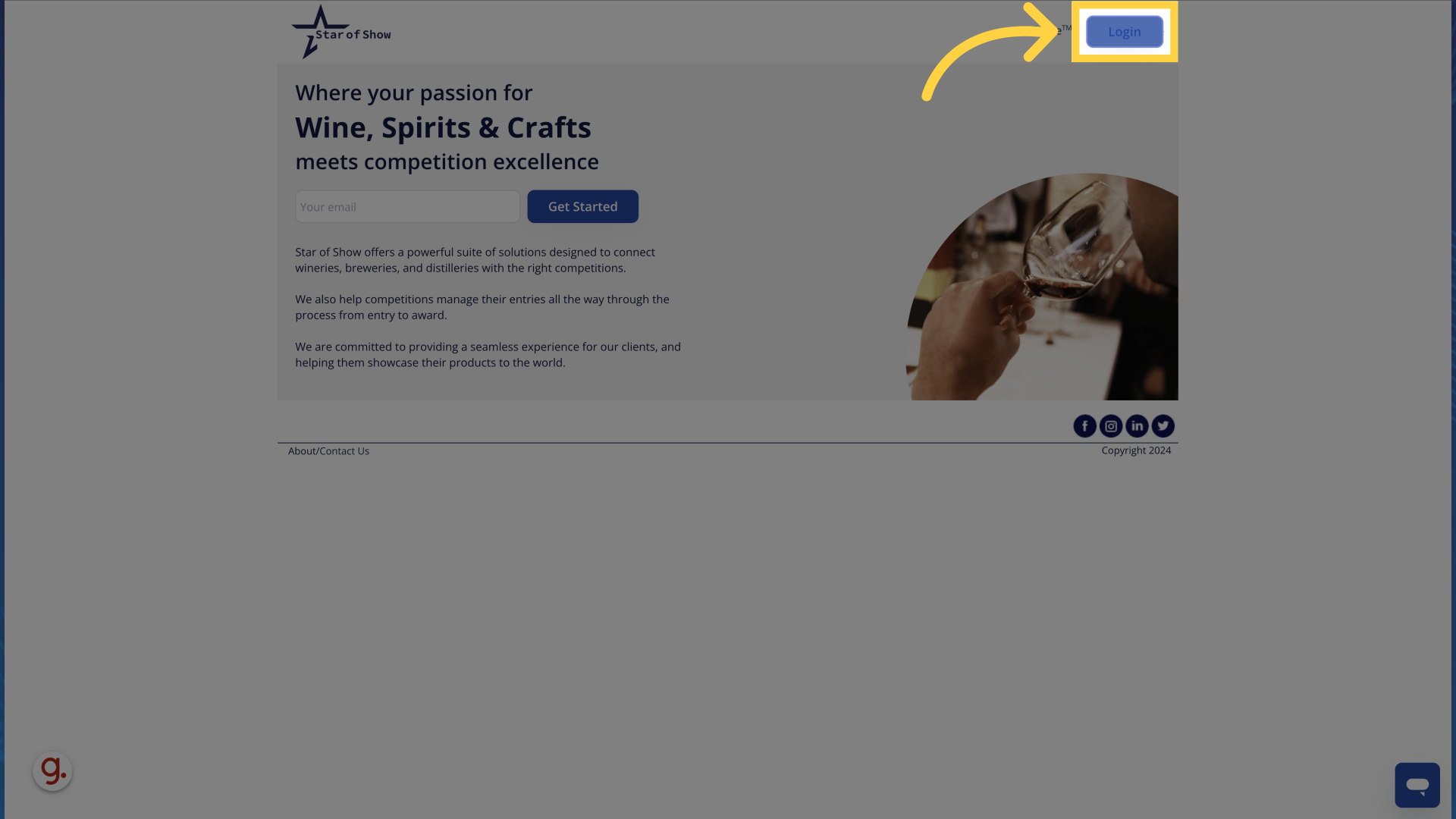
1. Click "Login"
Access the login page by clicking on the "Login" button.
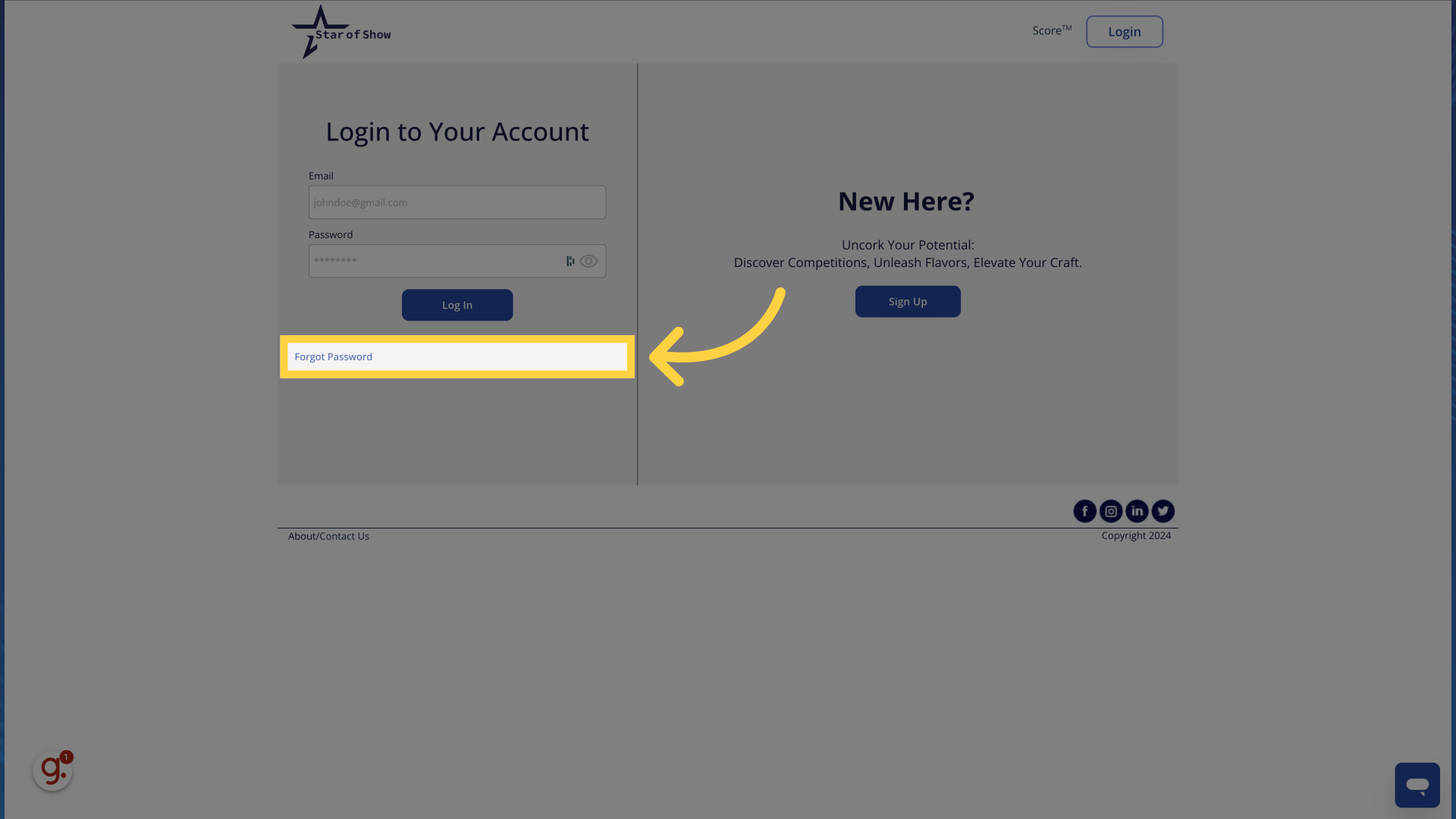
2. Click "Forgot Password"
Navigate to password recovery by selecting the "Forgot Password" option.
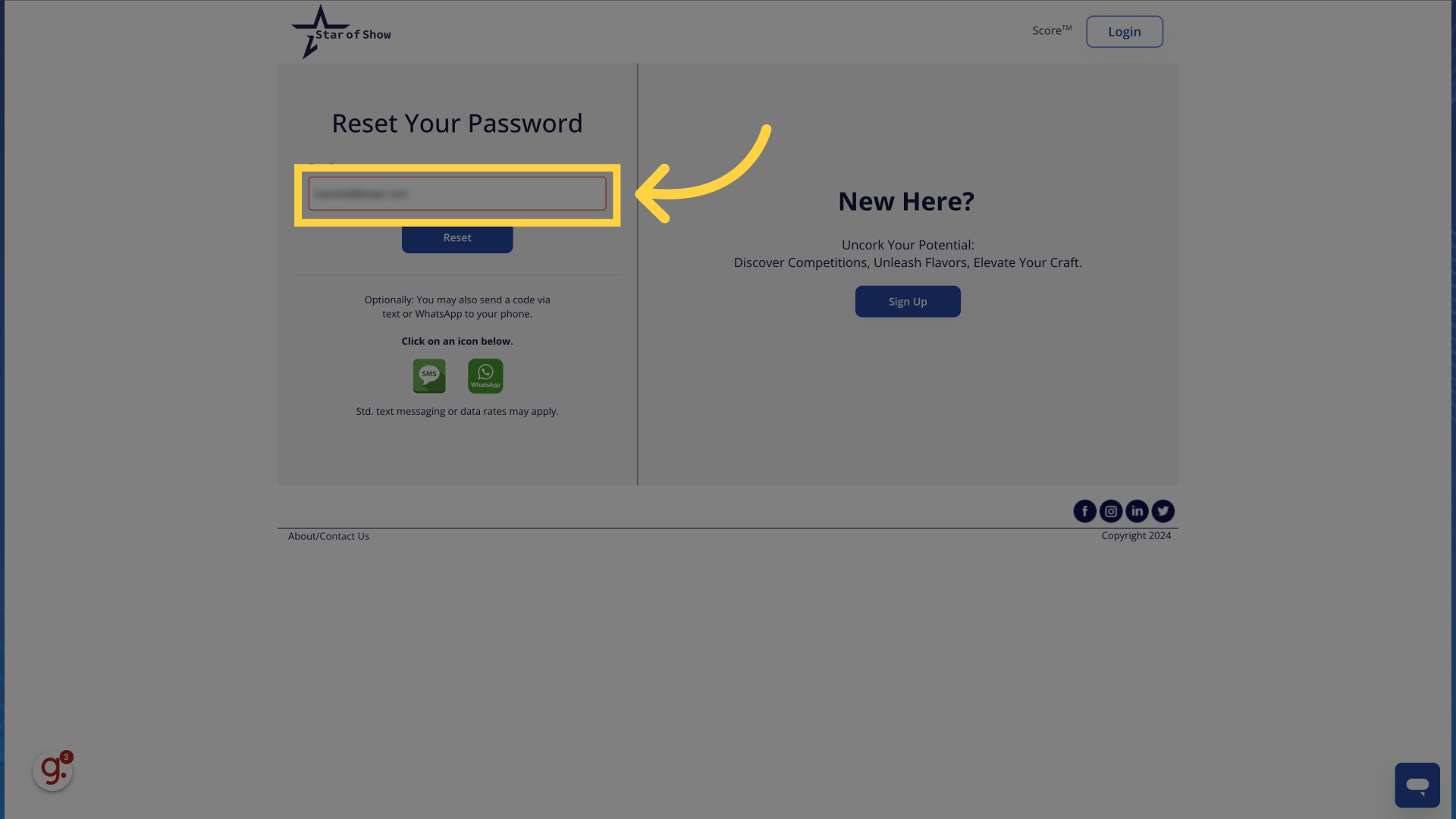
3. Enter your email Address
Provide your email address, for instance, "johndoe@gmail.com".
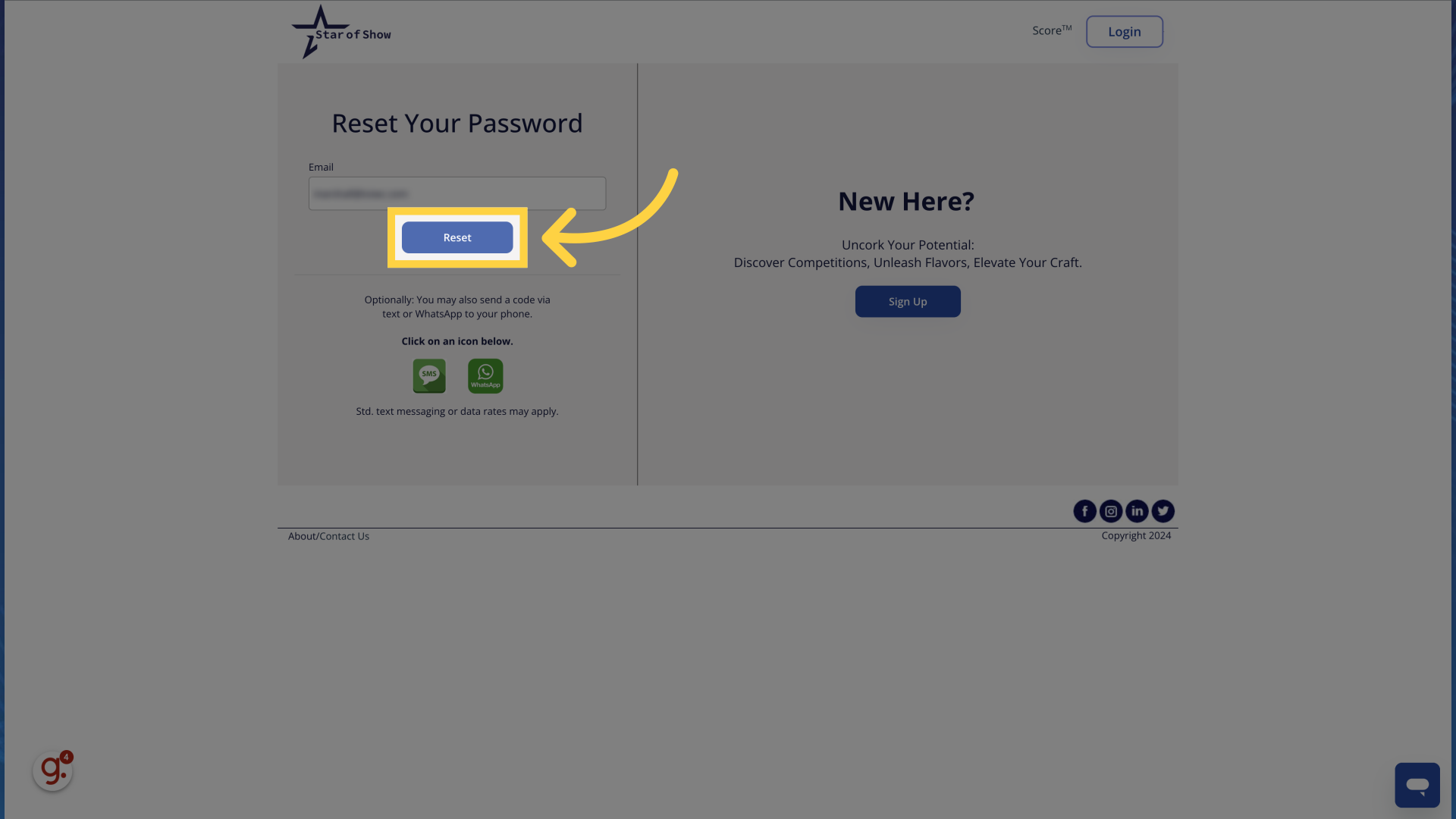
4. Click "Reset"
Initiate the password reset process by clicking on the "Reset" button.
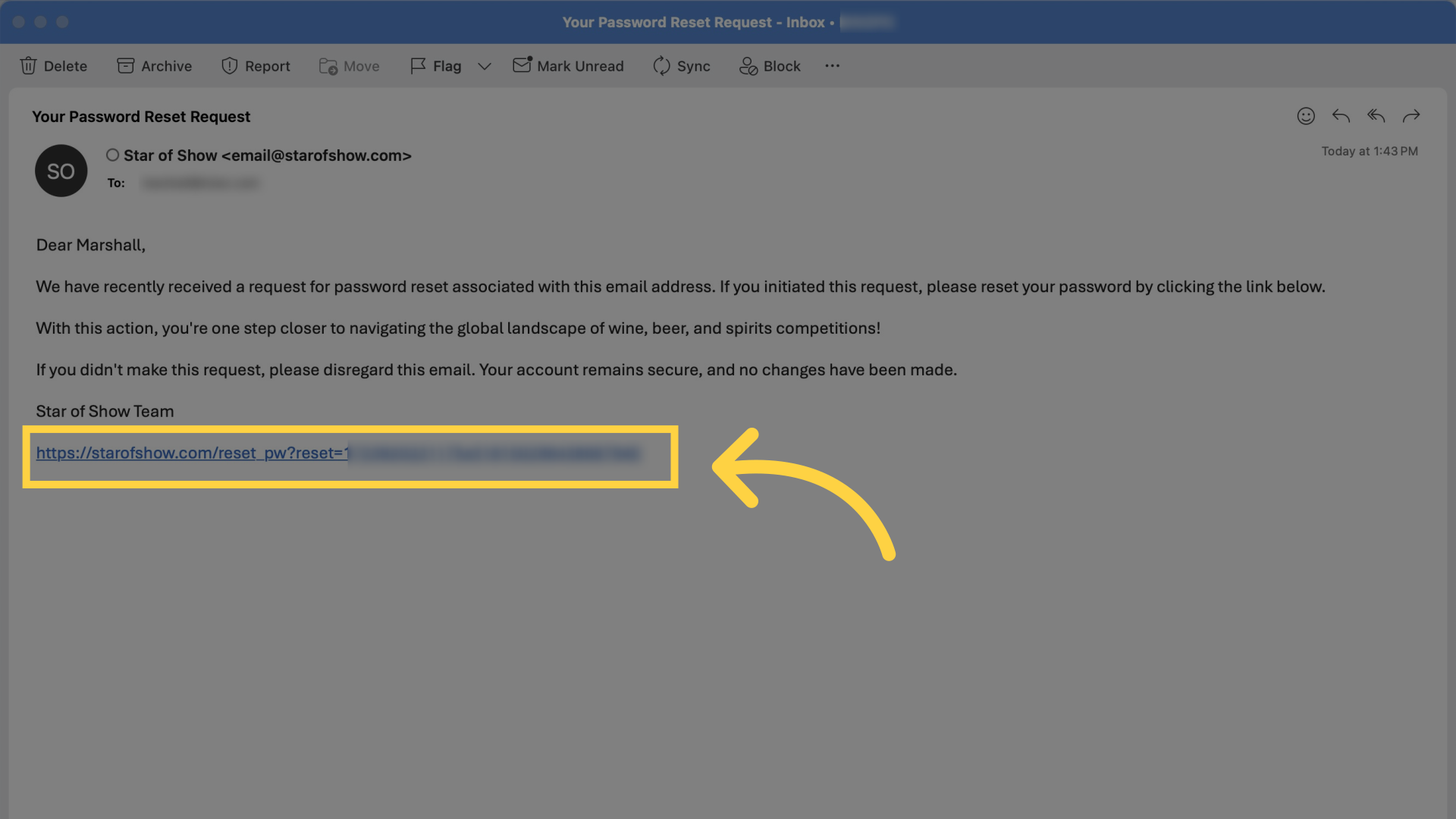
5. Click the link.
Check your email account for the email address you entered and click the link in the email that you received. Be sure to check in your spam folder if you do not see it within a minute or so.
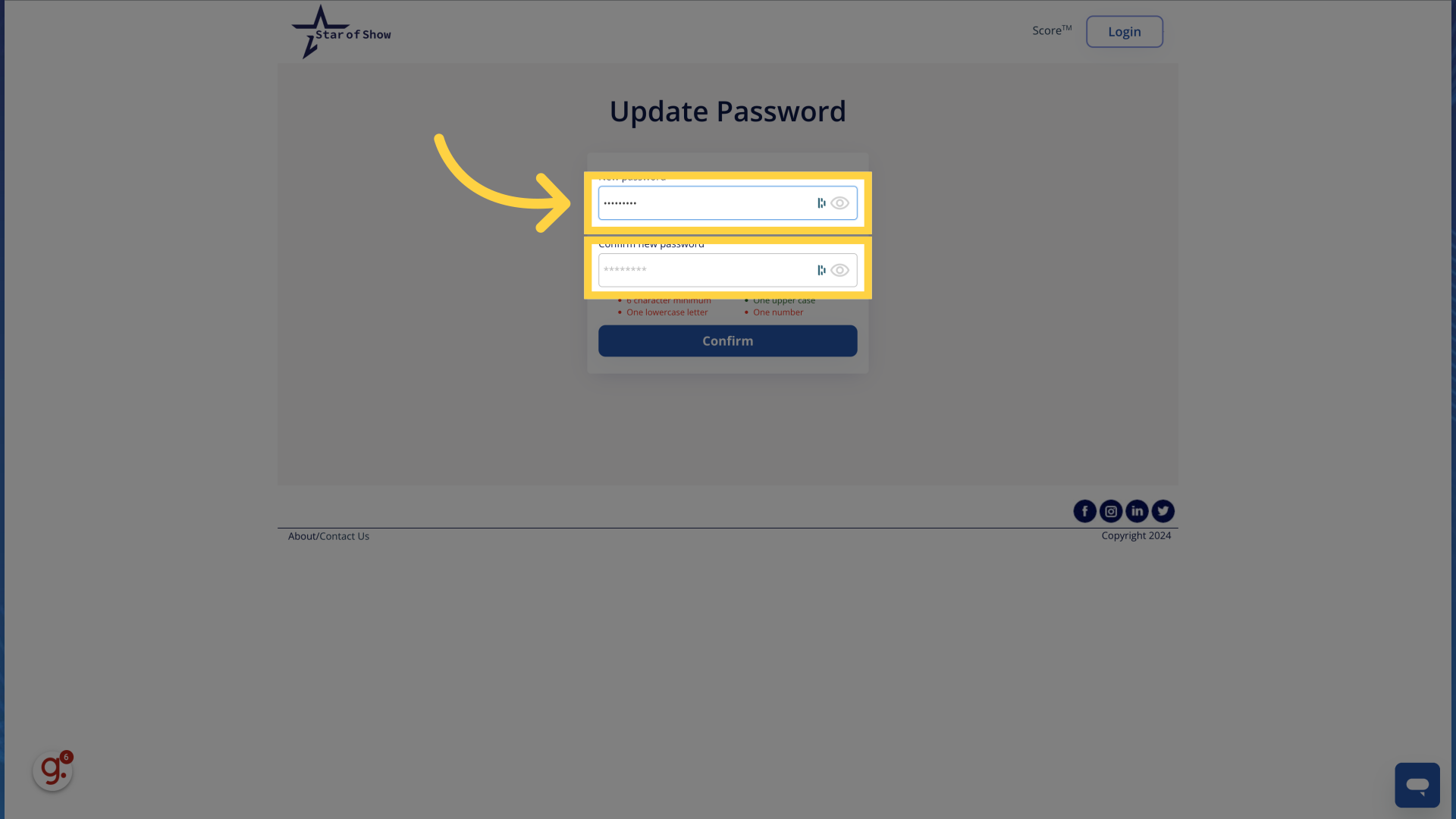
6. Enter your new password
Type your new password and ensure that the password you are using meets our password requirements. Everything will turn green once your password satisfies our requirements.
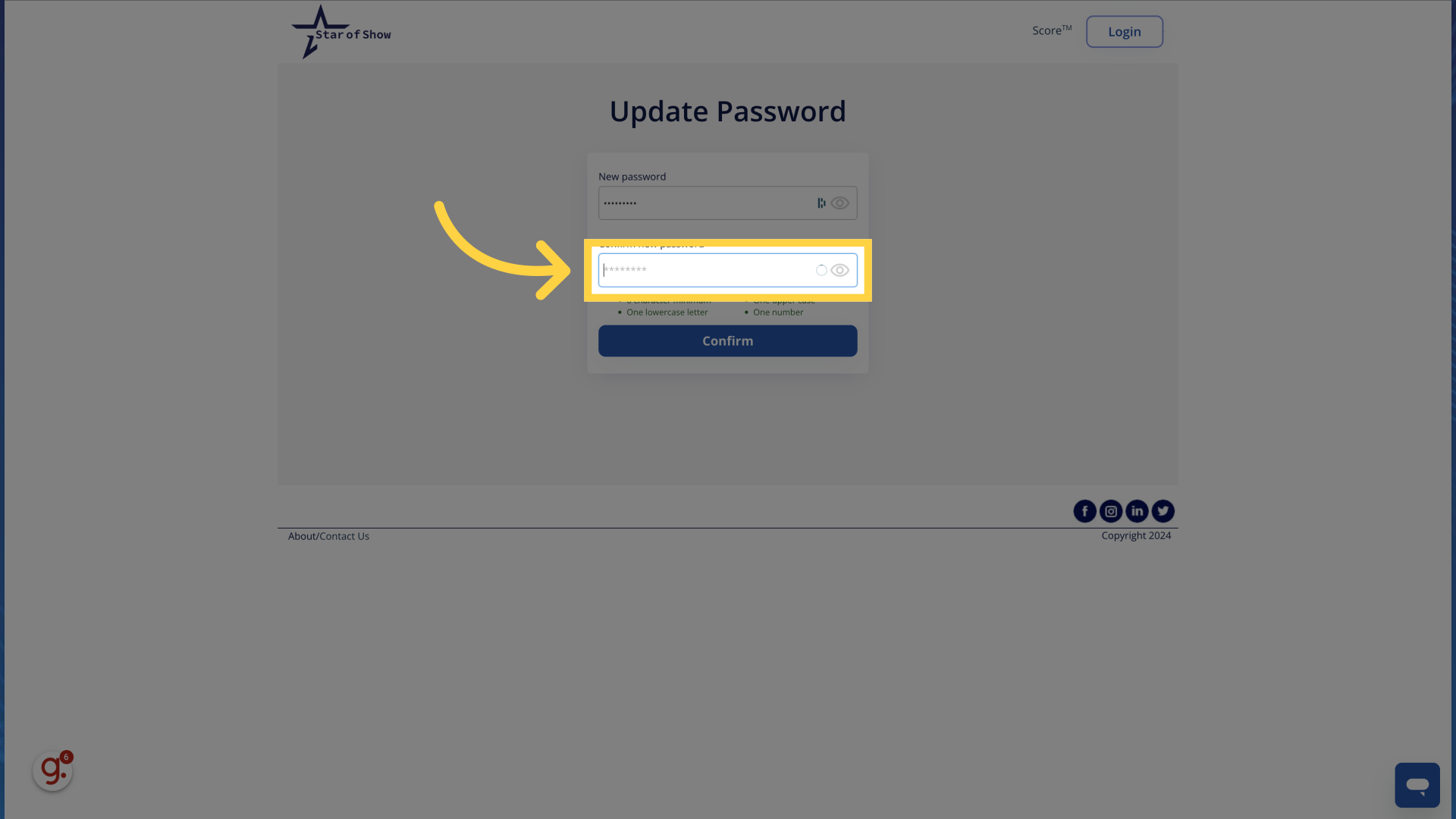
7. Confirm your new password by retyping it.
Confirm your new password by retyping it.
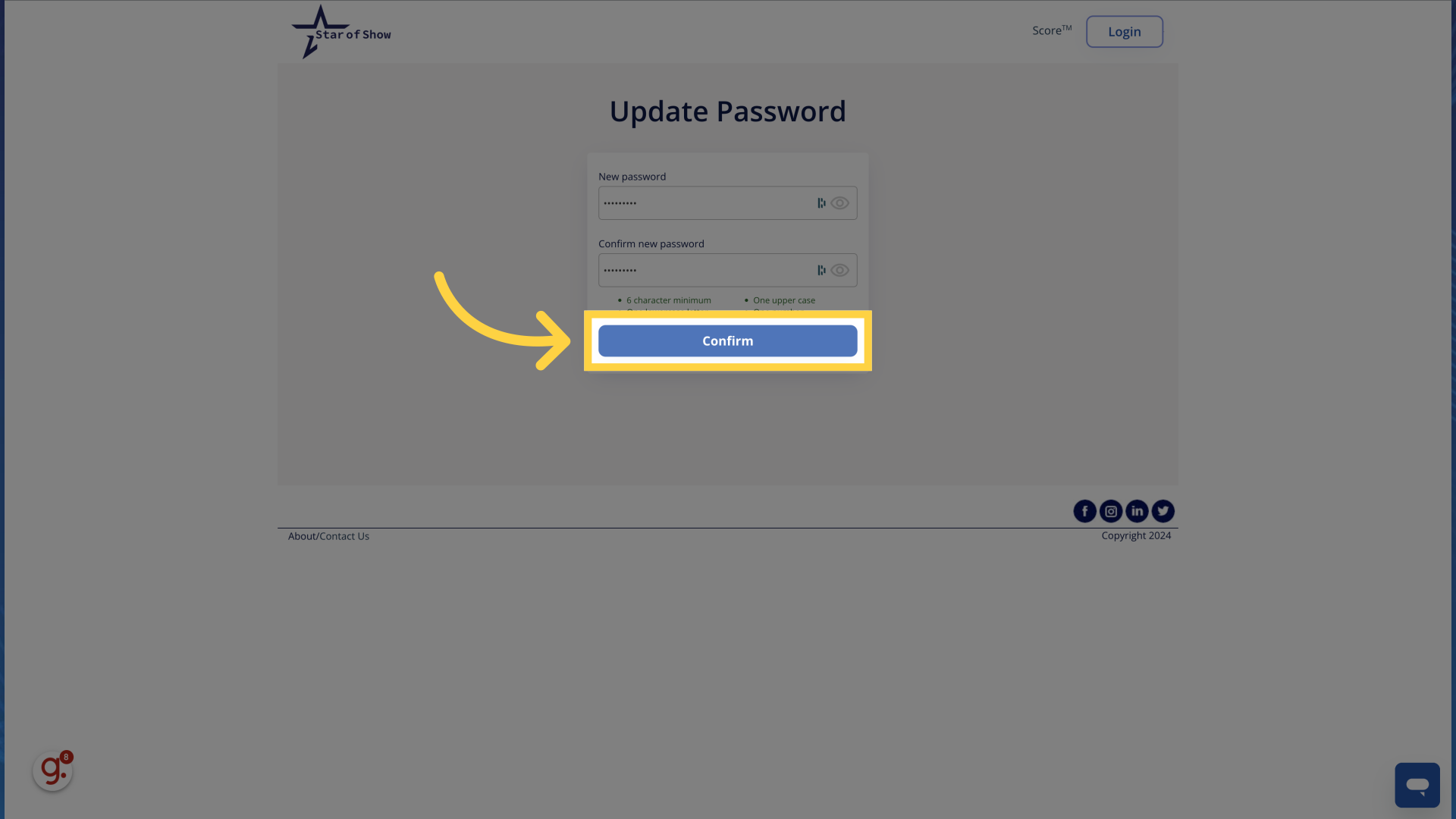
8. Click "Confirm"
Finalize the password reset process by selecting "Confirm".
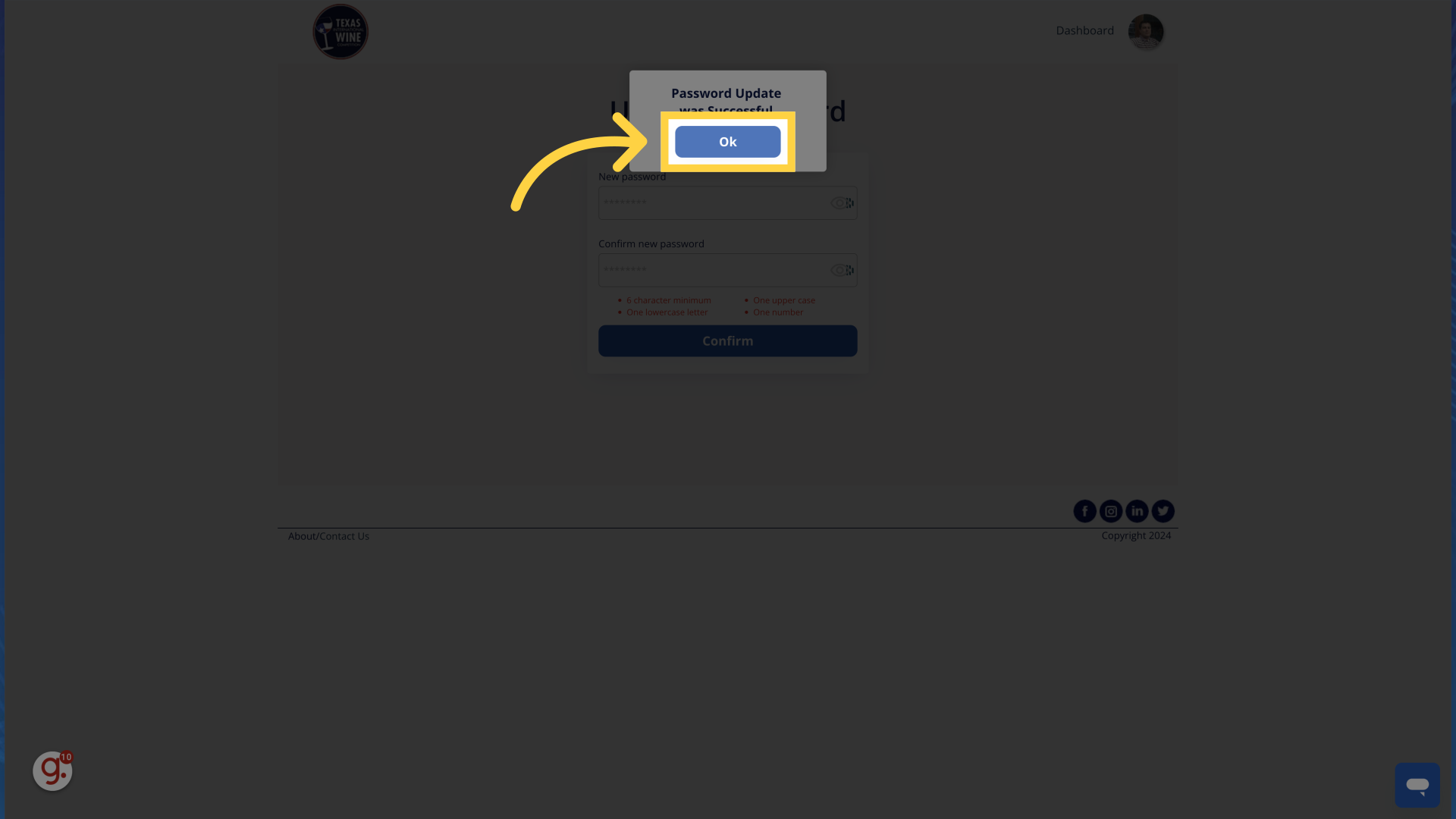
9. Click "Ok"
Complete the password recovery process by clicking on "Ok".
This guide on Starofshow covers the password recovery process via email. From initiating the reset to confirming the changes, these steps ensure a secure and efficient way to regain access to your account. If you have further questions or need additional assistance please do not hesitate to reach out to us.
Comments
0 comments
Article is closed for comments.